Three Steps to Complete Mobile Measurement
Create account. Add SDK. Track installs. That's it.
Create Account
Sign up, choose your plan, access dashboard immediately
Add SDK
Copy/paste SDK code into your iOS or Android app
Start Tracking
See real-time installs, attribution, and analytics
Here's Exactly How It Works
A complete implementation walkthrough, from first login to optimizing your first campaign.
Create Account & Configure Your App
Sign up, choose your plan, and get dashboard access instantly. No credit card required, no sales call needed. Create your first app and get your API key in under 2 minutes.
- Free plan activated immediately with 10,000 events/month
- Add iOS Bundle ID and Android Package Name
- Generate your API key for SDK authentication
- Connect custom domains for branded attribution links
- Invite team members and set permissions
Pro tip: Start with the free plan. Upgrade only when you need more than 10,000 events/month.

Add the SDK to Your iOS & Android App
Copy/paste two lines of code. That's all. The Linkzly SDK automatically handles install attribution, deep link routing, and event tracking with zero additional configuration.
- iOS (Swift): Add pod 'Linkzly' to Podfile
- Android (Kotlin): One line in build.gradle
- Initialize with your API key in AppDelegate or Application class
- Optional: handle deep links and custom events
- Test mode built-in so you can verify before going live
Pro tip: The SDK adds less than 200KB to your app bundle. Deep link handling takes 5 extra minutes but is highly recommended.

import Linkzly

func application(
  _ application: UIApplication,
  didFinishLaunchingWithOptions launchOptions: [...]
) -> Bool {

  // Initialize Linkzly - that's it!
  Linkzly.initialize(apiKey: "lz_prod_abc123xyz789")

  return true
}Create Attribution Links & Deploy
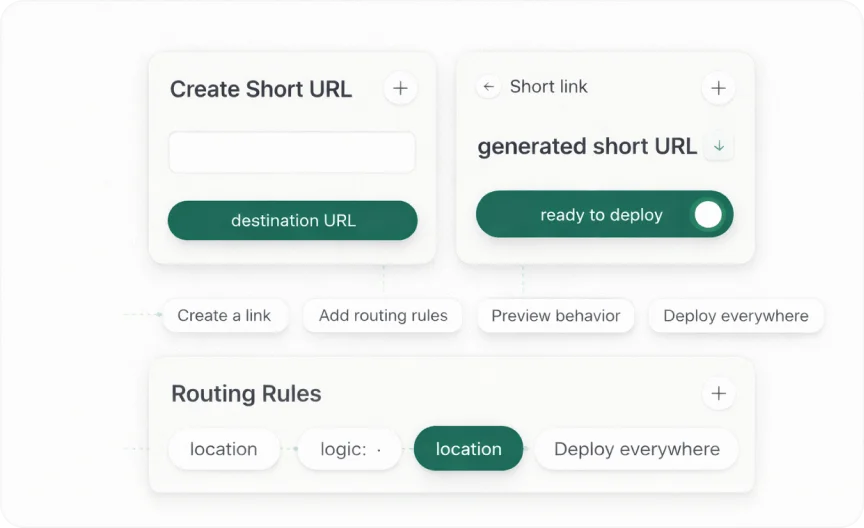
Generate deep links in the dashboard, attach your UTM parameters and deep link paths, then share across every channel. Each link automatically routes users to the right destination on any device.
- One link handles iOS App Store, Google Play, and web fallbacks
- Deferred deep linking preserves context across app install
- Works on Facebook Ads, Google Ads, TikTok, email, QR codes
- Geo-targeting and device-specific routing built-in
- Real-time preview to verify routing before deploying
Pro tip: A TikTok user without your app installed clicks your link, installs, and lands directly on the correct product page. Zero extra dev work.
Real-Time Attribution & ROI Analytics
Every install is attributed within 2 seconds. Your dashboard updates live as campaigns run. Compare channels, see which drive the highest-value users, and reallocate budget with confidence.
- Attribution confirmed within 2 seconds of install
- Multi-touch attribution across all touchpoints
- Post-install event tracking: purchases, sign-ups, subscriptions
- LTV and ROI by campaign, source, and creative
- Auto-forwards data to GA4, Mixpanel, Facebook CAPI, and more
Pro tip: Discover your TikTok users have 40% higher Day-7 retention than Google Ads users and shift budget accordingly.

The Technology Behind Accurate Attribution
From the moment a user clicks your ad to the instant attribution is confirmed, here's what happens in milliseconds.
User Clicks Ad
Linkzly captures click ID, device fingerprint, and campaign params
App Installed
SDK initializes on first open and contacts Linkzly servers
Match Found
Install matched to click via IDFA/GAID or probabilistic fingerprint
Attribution Live
Dashboard updates in real-time, data forwarded to your integrations
Deterministic Attribution
IDFA (iOS) / GAID (Android)
When users grant ATT permission on iOS or share their GAID on Android, we match installs to clicks with near-perfect accuracy using device identifiers. Attribution is confirmed within 2 seconds.
Probabilistic Attribution
Fingerprint + SKAdNetwork
For privacy-restricted devices, we use device fingerprinting and Apple's SKAdNetwork (SKAN 4.0) to attribute installs without user-level identifiers. Your iOS campaigns are fully measured, even without ATT consent.
Real-Time Attribution. Not Batch.
Traditional MMPs process data in hourly or daily batches. Linkzly processes every event in real-time.
Traditional MMP (Batch)
Delay: 2.5 hours
Wasted ad spend. Slow optimization. No real-time decisions.
Real-Time Processing
Delay: 2 seconds
See problems instantly. Pause bad campaigns. Optimize faster.
Your Attribution Platform Runs on Autopilot
Once set up, everything runs automatically. You just monitor and optimize.
Attribution
- Every install automatically attributed
- Multi-touch analysis runs continuously
- Models update in real-time
Analytics
- Dashboards update live
- Reports generated automatically
- LTV projections updated daily
Integrations
- Data syncs to GA4, Mixpanel, Amplitude
- Events forwarded in real-time
- No manual data exports
Fraud Prevention
- Every click analyzed automatically
- Suspicious patterns blocked
- Budget protected 24/7
Scales from 100 to 100 Million Installs
Built on cloud-native infrastructure that scales with your growth. As your install volume increases, the platform handles additional capacity automatically. Your integration never needs updating.
See It Work Yourself in 30 Minutes
No sales calls, no demos, no waiting. Sign up and start tracking.
“I was dreading MMP setup based on my last experience. With Linkzly, I was tracking installs in 35 minutes. Incredible.”
Mobile Developer, Fitness App